feature · gaming
PS5 Performance vs Fidelity Mode: 30, 40, 60 and 120 FPS Explained
Pick the right PS5 graphics mode for your TV. See how 30, 40, 60 and 120 FPS differ, what VRR does and where to enable 120 Hz on your PS5.
 By Aram Anwar5 min read
Start with Performance Mode at 60 FPS on a 60 Hz screen. Pick Fidelity if you care more about detail than smoother motion. On a 120 Hz display, try a game’s 40 FPS mode if it offers one. It gives you a steadier middle ground when you want the visuals of Fidelity with a quicker update than 30 FPS. Choose 120 FPS in games that support it when responsiveness matters most.
These are game-specific options. The PS5 has a preference for Performance or Resolution Mode, but developers decide which modes to offer and what each one changes. PlayStation’s guide to Game Presets
Which PS5 graphics mode should you pick?
| Target | Time per frame | When to choose it |
|---|---|---|
| 30 FPS | 33.3 ms | You prefer the game’s higher-detail preset and have a 60 Hz screen, or the game offers no 40 FPS option. |
| 40 FPS | 25 ms | You have a 120 Hz screen and the game offers a 40 FPS or Balanced mode. Try it when you like the Fidelity preset but want smoother camera motion. |
| 60 FPS | 16.7 ms | You want smoother movement and aiming. On a 60 Hz screen, this is a sensible first choice for an action game that offers it. |
| 120 FPS | 8.3 ms | You have a 120 Hz screen and the game offers a 120 FPS mode. Choose it for fast play if you’re happy with that mode’s visual trade-offs. |
The frame times show how often the game can present a fresh frame at each target. Controller response also depends on the game and display. Fidelity can use its extra time on detail, lighting or resolution. The exact trade varies. In Marvel’s Spider-Man 2, creative director Bryan Intihar described a 30 FPS Fidelity mode, a 60 FPS Performance mode with a resolution trade-off, and a 40 FPS option for 120 Hz screens. Ray-traced reflections are available across those modes. Insomniac creative director interview
Why 40 FPS works well on a 120 Hz TV
FPS counts the frames a game creates each second. Hz counts how many times the display refreshes. At a fixed 120 Hz, a 40 FPS mode can hold every frame for exactly three refreshes. A 60 Hz signal can’t give each of those 40 frames the same number of refreshes. This is why 40 FPS modes commonly require the console to output at 120 Hz.
The jump from 30 to 40 FPS saves about 8.3 milliseconds per frame. So does the jump from 40 to 60. That’s why 40 can feel like a genuine middle step even though the numbers look closer to 30. A TV reporting a 120 Hz signal tells you the refresh rate going into the display. The game may be creating 40, 60 or 120 unique frames per second within it.
How to set Performance Mode and 120 Hz on PS5
- Open Settings → Saved Data and Game/App Settings → Game Presets → Performance Mode or Resolution Mode. Choose the preference you want supported games to use.
- Open Settings → Screen and Video → Video Output and enable 120 Hz Output if your screen supports it. Use Information for the Connected HDMI Device to check the capabilities the console sees.
- Open the game’s graphics or video settings and choose the mode there. A 40 FPS option may sit behind a separate 120 Hz display toggle. For Fortnite, Epic specifies the Performance Mode system preset, followed by Settings → Video → 120 FPS Mode inside the game.
If 120 Hz is missing, check the model’s supported resolutions, the exact HDMI input and any high-bandwidth setting in the TV’s menu. For 4K at 120 Hz, Sony recommends the PS5’s supplied cable or a rated Ultra High Speed HDMI cable. Connect the console straight to the display as a test if it normally runs through a receiver or soundbar. A screen can accept 120 Hz at a lower resolution even when it can’t accept the higher-resolution signal. PlayStation video output and troubleshooting · Epic’s Fortnite instructions
Where VRR and PS5 Pro fit
Variable refresh rate, or VRR, lets a compatible display change when it refreshes to match the console’s output. This can reduce tearing or make uneven frame delivery less visible. It also lets some games offer an unlocked frame rate. Insomniac documents that its games can exceed their usual targets when a compatible setup uses VRR and the in-game 120 Hz option. Results still depend on the scene and game settings. PlayStation VRR settings · Insomniac’s VRR notes
Mode names can also change with the hardware. Insomniac describes a Performance Pro mode for Marvel’s Spider-Man 2 that aims to bring the standard PS5 Fidelity look to a 60 FPS target. Use the mode description for your console and your game. For the separate question of which games use Sony’s new upscaler, see the PS5 QSSR guide. PlayStation Blog’s developer overview
Compare the modes in the same scene
Load the same checkpoint or take the same route with each setting. Pan across fine detail such as foliage or railings, then try a fight or a stretch with quick turns. The first check makes differences in detail and motion easier to spot. The second tells you whether the controls feel better in the mode you’ll actually use. Keep the HDR, camera sensitivity and TV picture mode the same for both runs.
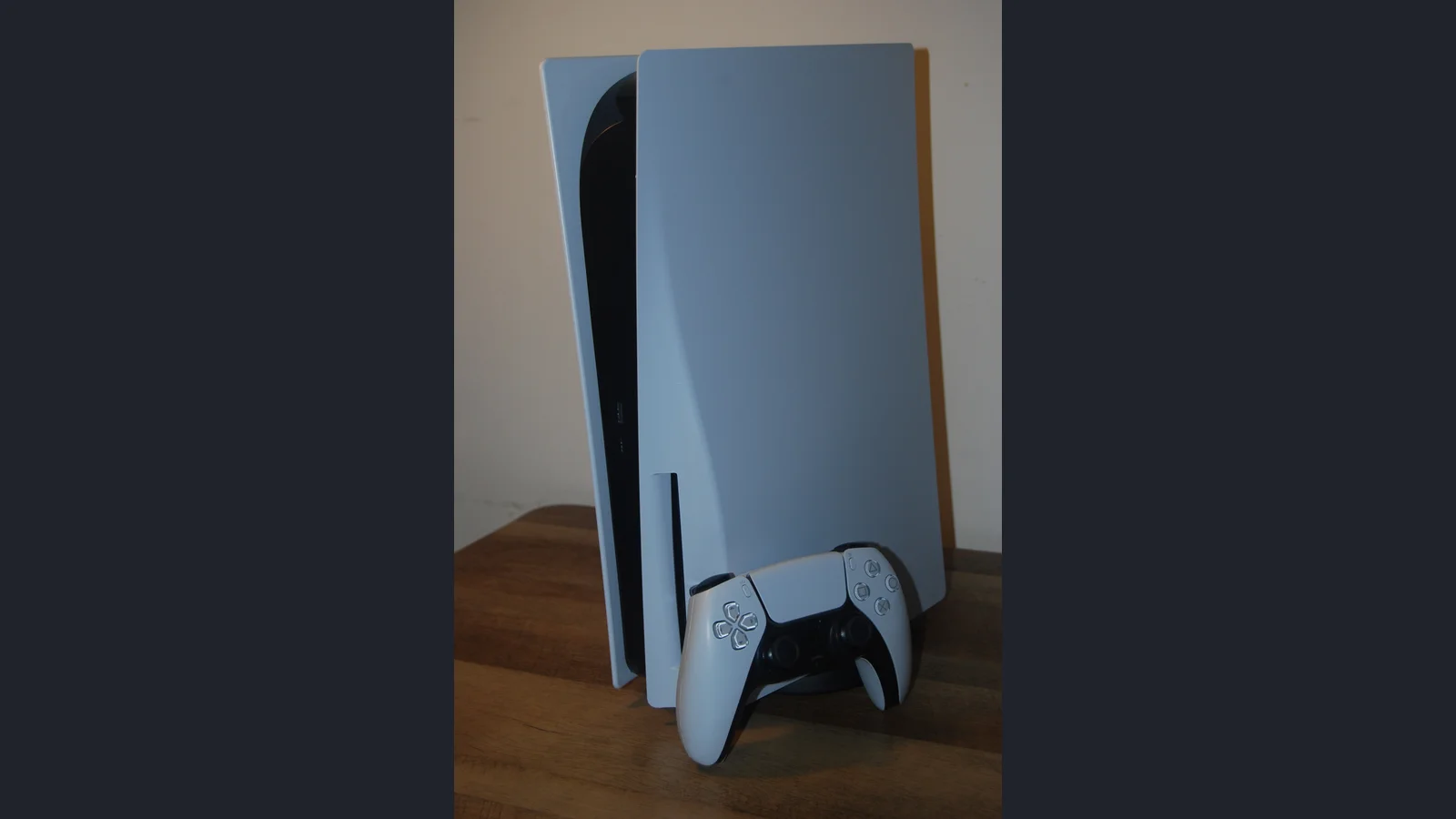
Photo by Howardcorn33 via Wikimedia Commons, CC0 1.0. The archival photo was resized and framed for Red Reactions.
Sources
- PlayStation Support: Game Presets on PS5
- PlayStation Support: PS5 video output, VRR and 120 Hz troubleshooting
- Insomniac Games: VRR support on PS5 — November 19, 2025
- WIRED: Insomniac creative director Bryan Intihar on Spider-Man 2 graphics modes — October 24, 2023
- Epic Games Support: How to enable 120 FPS in Fortnite on PS5
- PlayStation Blog: Developers describe PS5 Pro game modes — September 24, 2024
Make Red Reactions a preferred source
Choose Red Reactions as a preferred source in Google Search.
Confirm your choice on Google.
Related coverage
PS5 QSSR: Supported Games, How to Use It, and QSSR vs PSSR
Which PS5 games have QSSR? Check the live and announced games, find the right game update, and see how QSSR differs from PSSR on PS5 Pro.

Samurai Love Ballad Hits Steam With a Staggered Switch Launch
Voltage brings six Samurai Love Ballad routes to Windows and Switch. Check the November 12 and 19 release dates, English support and what changed from mobile.
PowerWash Simulator 2 Barbie Pack Arrives December 3: Price and What's Included
PowerWash Simulator 2's Barbie Pack launches December 3 with five jobs, a custom washer and co-op. Here are the announced prices, platforms and base-game requirement.

Yakuza Creator Toshihiro Nagoshi’s Studio Dissolved After October 31 Vote
Japan’s official gazette records Nagoshi Studio’s October 31 dissolution vote. Here is what it confirms and what remains unknown about GANG OF DRAGON.
Crimson Desert's New DLC Is Out — but the Five-Hour Trial Doesn't Include It
Charting the Unknown adds sea exploration and new character stories. Check Mac availability, Xbox and PlayStation trial rules, and what the trial leaves out.
R.E.P.O. Is Coming to Switch 2 in 2027: Date, Co-op and Cross-Play Status
Nintendo confirms R.E.P.O. for Switch 2 in 2027. Separate the announced port from PC Early Access, six-player co-op and the cross-play details still unannounced.
About the author
Aram Anwar
Founder & Editor
Aram Anwar founded Red Reactions and writes across comics, gaming, movies and television. His work includes franchise guides and large Lore / Explained features, with an emphasis on separating confirmed details from reports, theory and speculation.
Coverage: Comics · DC & Marvel · Gaming · Movies & TV · Lore / Explained · Guides
More from Aram Anwar